Dictation for your Mac.Fast. Local. Reliable.
Press a hotkey, speak, and OpenScribe types for you. It transcribes on your Mac by default and only uses the cloud when you choose to.
$ brew install --cask streichsbaer/tap/openscribe
How it works
Talk anywhere you can type.
Press your hotkey
Start and stop from any app. The keys are yours to choose.
Speak naturally
A live waveform shows OpenScribe is listening. Stop when you are done.
Text lands where you type
Your words are pasted into the app you were using and copied to the clipboard.
What is inside
Private by default, and clear about it.
Stays on your Mac
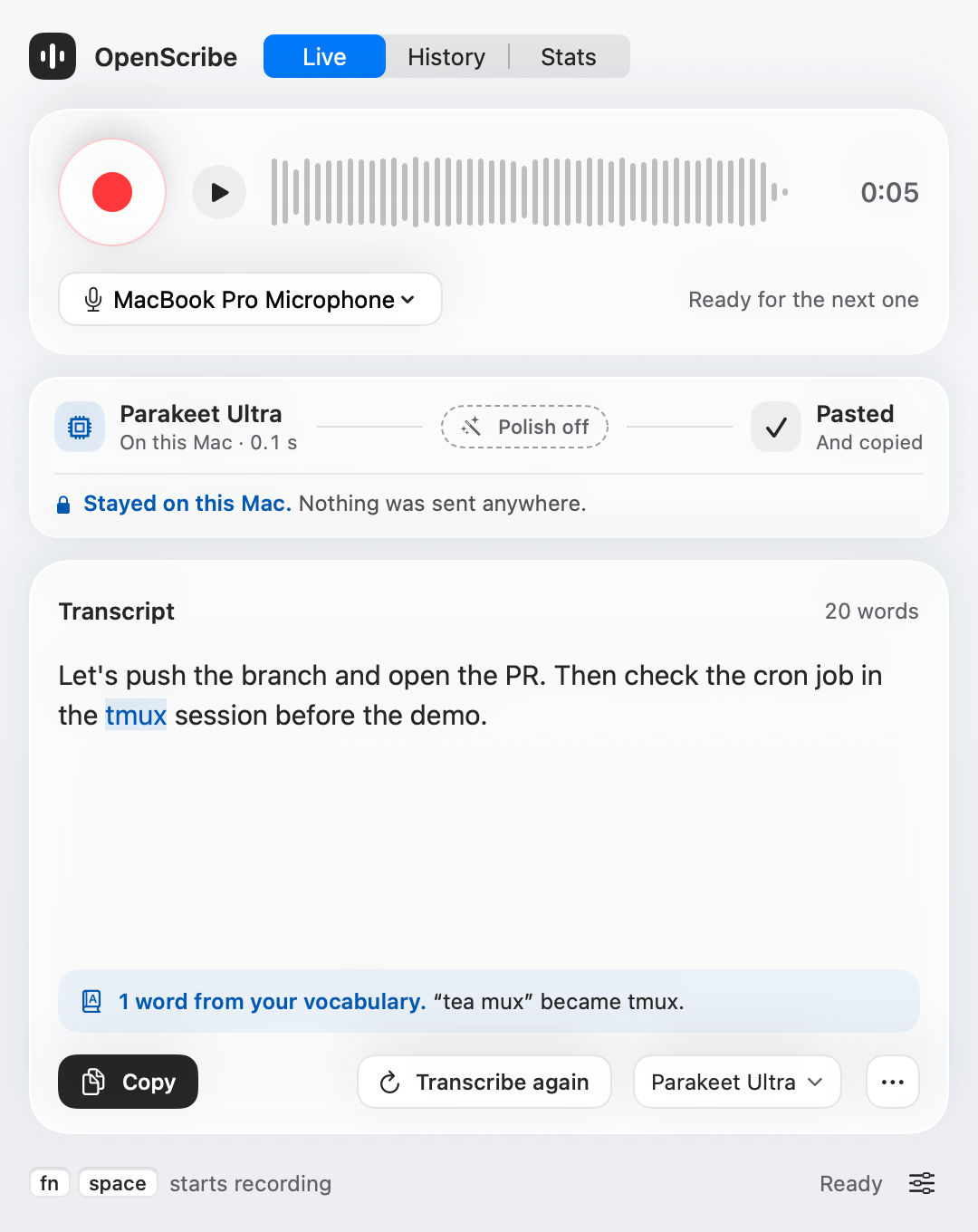
Parakeet Ultra transcribes right on your Mac, in about 0.07 s for 30 s of speech on an M5 Max. Every session shows its route, so you can see that nothing was sent anywhere.
Stayed on this Mac. Nothing was sent anywhere.
Knows your words
Developer terms like tmux, zsh and cron come built in. Add your own, and OpenScribe fixes the spelling as you speak.
Your engine, your call
Local engines need no account. Cloud providers use your own API key, kept in the Keychain.
- Parakeet Ultra
- Whisper on the GPU
- Groq
- OpenAI
- Gemini
- OpenRouter
Every session, kept
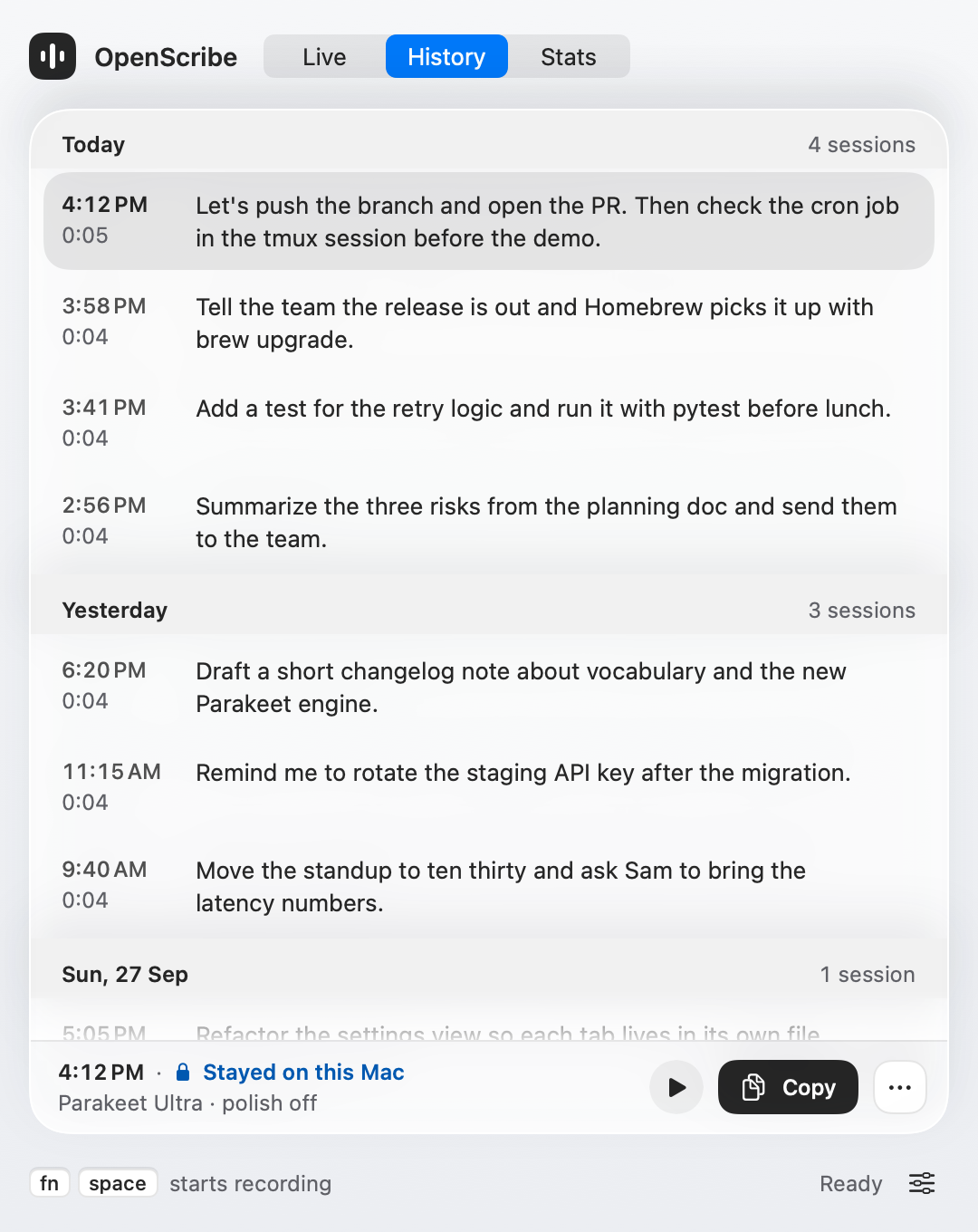
Audio, transcript and timings are saved for each session. Play it, copy it, or transcribe it again with another model.
See your momentum
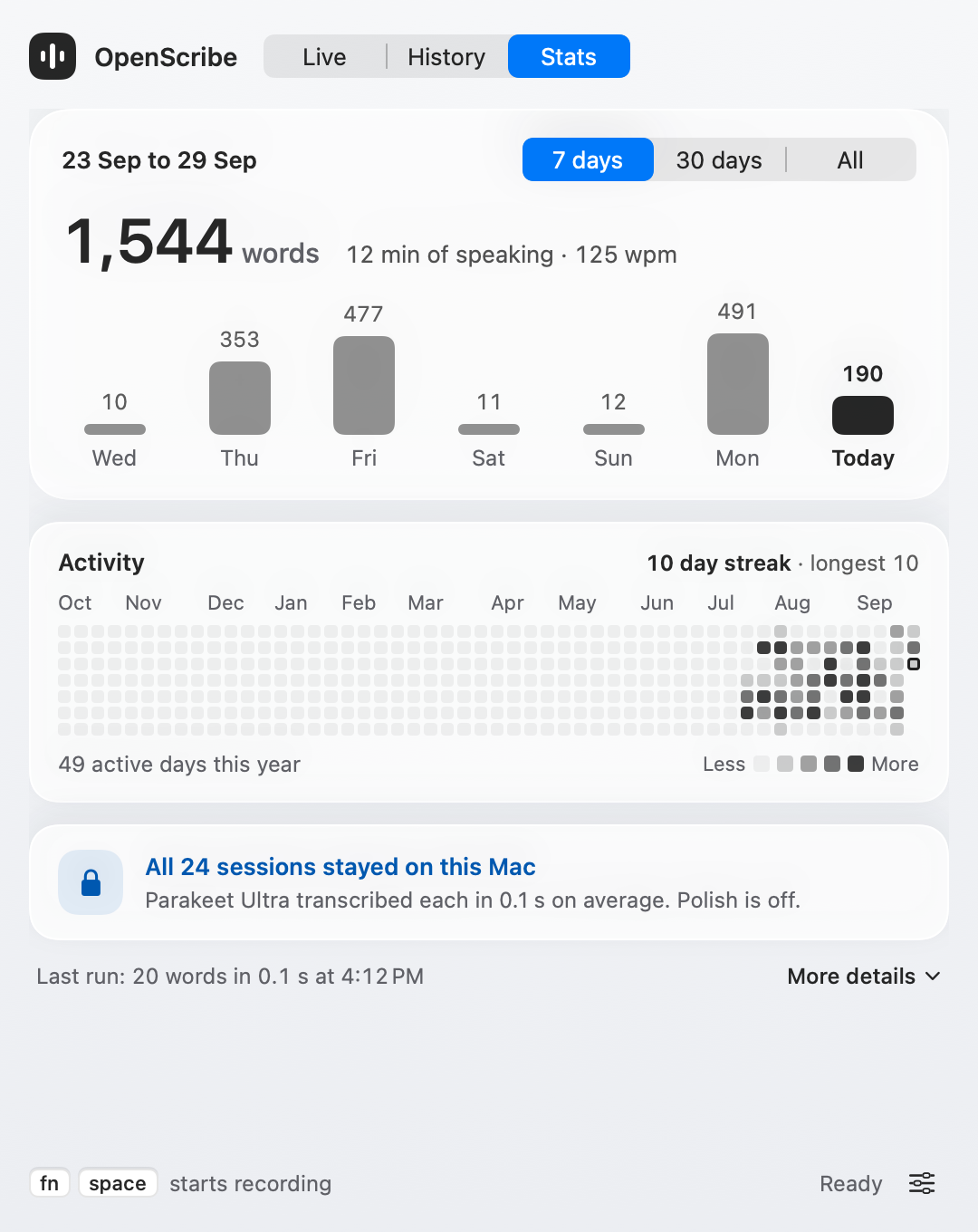
Words per day, your speaking pace, and a year of activity with your streak.
Start dictating in a minute.
Download OpenScribe, grant microphone access, and press your hotkey.
Intel Mac? Download the Intel build. Not sure which Mac you have? Open Apple menu > About This Mac.