Providers and Models
OpenScribe lets you mix local and cloud providers depending on how you want the app to behave. A simple setup can stay fully local. A more flexible setup can add cloud models for transcription, polish, or both.
If you want the best no-cost setup path, start with Using Free Tiers and configure Groq transcription plus Groq polish on openai/gpt-oss-120b.
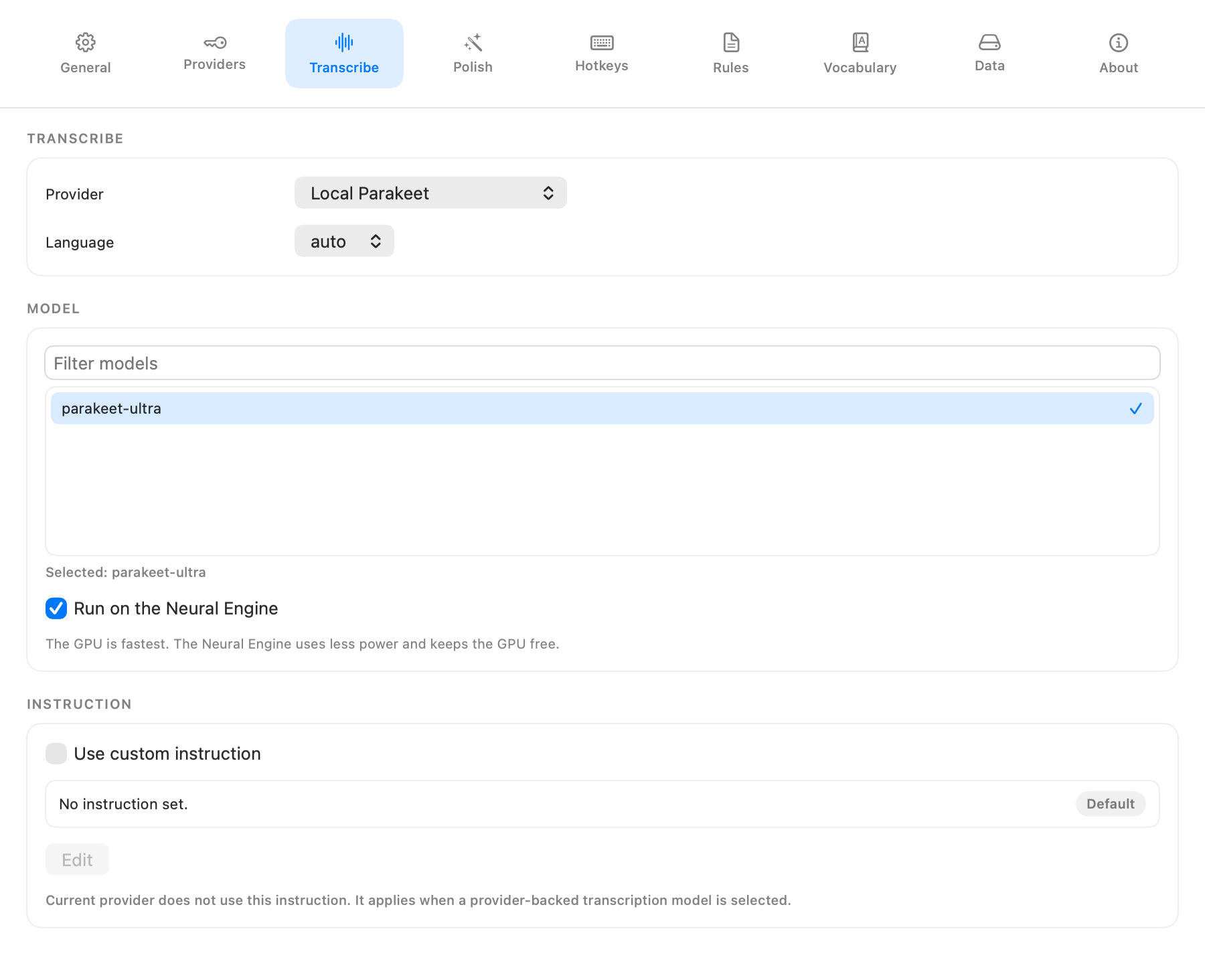
Start with transcription
If you want the default local-first path, keep transcription on Local Parakeet. It runs on your Mac, needs no API key, and keeps your audio off the network.
If you want cloud transcription, add an API key in Settings > Providers and then choose that provider in Settings > Transcribe.
Local: Parakeet
- No API key needed.
- Default model:
Parakeet Ultra, a 600 MB download on first use. - Transcribes a 30 second dictation in well under a second on Apple Silicon, with accuracy on par with the best Whisper model, and stays reliable on long recordings.
- Detects 25 European languages on its own.
- Runs on the GPU by default. Turn on Run on the Neural Engine in Settings > Transcribe to use less power.
- Spells your vocabulary terms using a small extra model.
Local: whisper.cpp
- No API key needed.
- Models from
tinytolarge-v3-turbo.large-v3-turbois the same model Groq runs and covers 99 languages. - Runs on the GPU on Apple Silicon Macs.
- Whisper can skip or repeat text on recordings longer than a few minutes.
Manage installed local models in Settings > Data.
Cloud transcription
These providers send your audio over the network and require an API key:
- OpenAI Whisper API for broad compatibility and strong accuracy.
- OpenAI Realtime for live raw transcript updates while recording with
gpt-realtime-whisper. - Groq Whisper API for fast inference.
- OpenRouter for access to multiple upstream model providers.
- Gemini for Google-hosted models through an OpenAI-compatible interface.
OpenAI Realtime changes when raw text appears, but not when OpenScribe finishes the session. Polish, copy-on-complete, and paste still wait for the final transcript after you stop recording.
Turn on polish when you want cleaner output
Polish runs a language model on your raw transcript to improve grammar, formatting, and structure. All polish providers are cloud-based, so this step always needs an API key.
- OpenAI -- built-in default:
gpt-5-nano. - Groq -- recommended cloud polish path with
openai/gpt-oss-120b. - OpenRouter -- access to multiple model providers through one API key.
- Gemini -- Google models that can cover transcription and polish, but they are not the recommended polish path.
- Cerebras -- OpenAI-compatible chat API with
gpt-oss-120bas a strong default polish model.
Polish is disabled by default. Enable it in Settings > Polish.
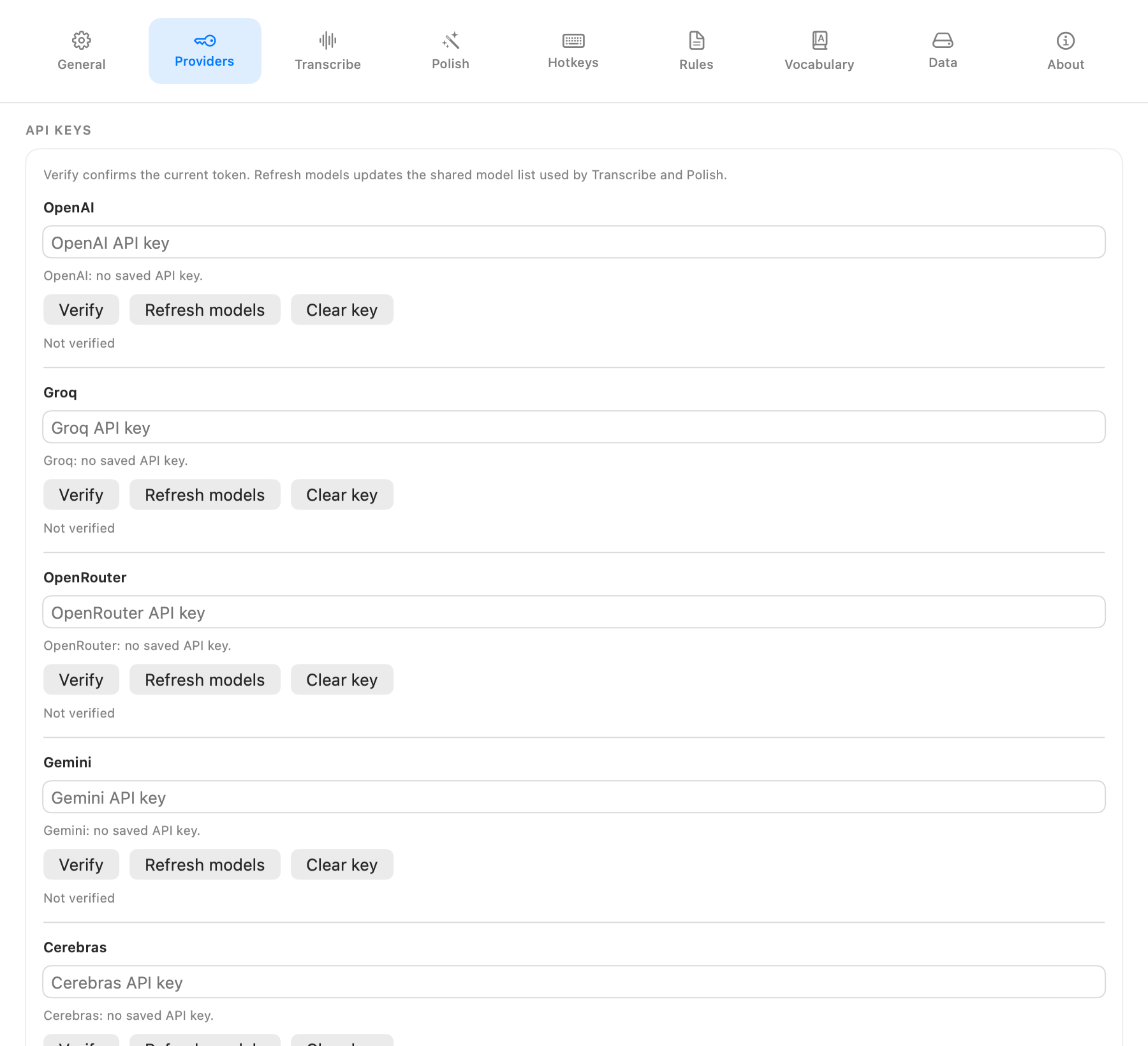
Add your keys, then refresh models
- Open Settings > Providers.
- Enter your API key for each provider you want to use.
- Use Verify to confirm the key and Refresh models to pull the latest shared model list for that provider.
- Select your preferred transcription provider and model in Settings > Transcribe.
- Select your preferred polish provider and model in Settings > Polish.
API keys are stored in the macOS Keychain. App updates do not clear those saved keys for the same macOS user account.
Choose a model deliberately
Use the model picker in Settings > Transcribe or Settings > Polish to browse what each provider offers. Refresh the provider model list in Settings > Providers when you want the latest options.
For transcription, larger models are usually more accurate and slower. Realtime transcription is a separate OpenAI provider path and uses gpt-realtime-whisper. For polish, the right choice depends on how much latency you are willing to trade for better cleanup. If you want the simplest recommended hosted setup, use whisper-large-v3-turbo for transcription and openai/gpt-oss-120b on Groq for polish.
Language
Language mode lives in Settings > Transcribe. The default is auto, which lets the provider detect the spoken language. If you mainly dictate in one language, setting it explicitly can improve consistency.
Continue
- Free-tier setup: Using Free Tiers
- Groq walkthrough: Groq Free Tier Setup
- Gemini walkthrough: Gemini Free Tier Setup
- OpenRouter walkthrough: OpenRouter Free Tier Setup
- How the pipeline works: How It Works
- Polish rules: Custom Rules
- Full field reference: UI Reference
- Provider behavior details: Product Spec