Vocabulary
Vocabulary teaches OpenScribe how to spell the words you say that speech models rarely hear: tool names, product names, and project jargon. Say "git ignore" and get gitignore, say "mise" and get mise.
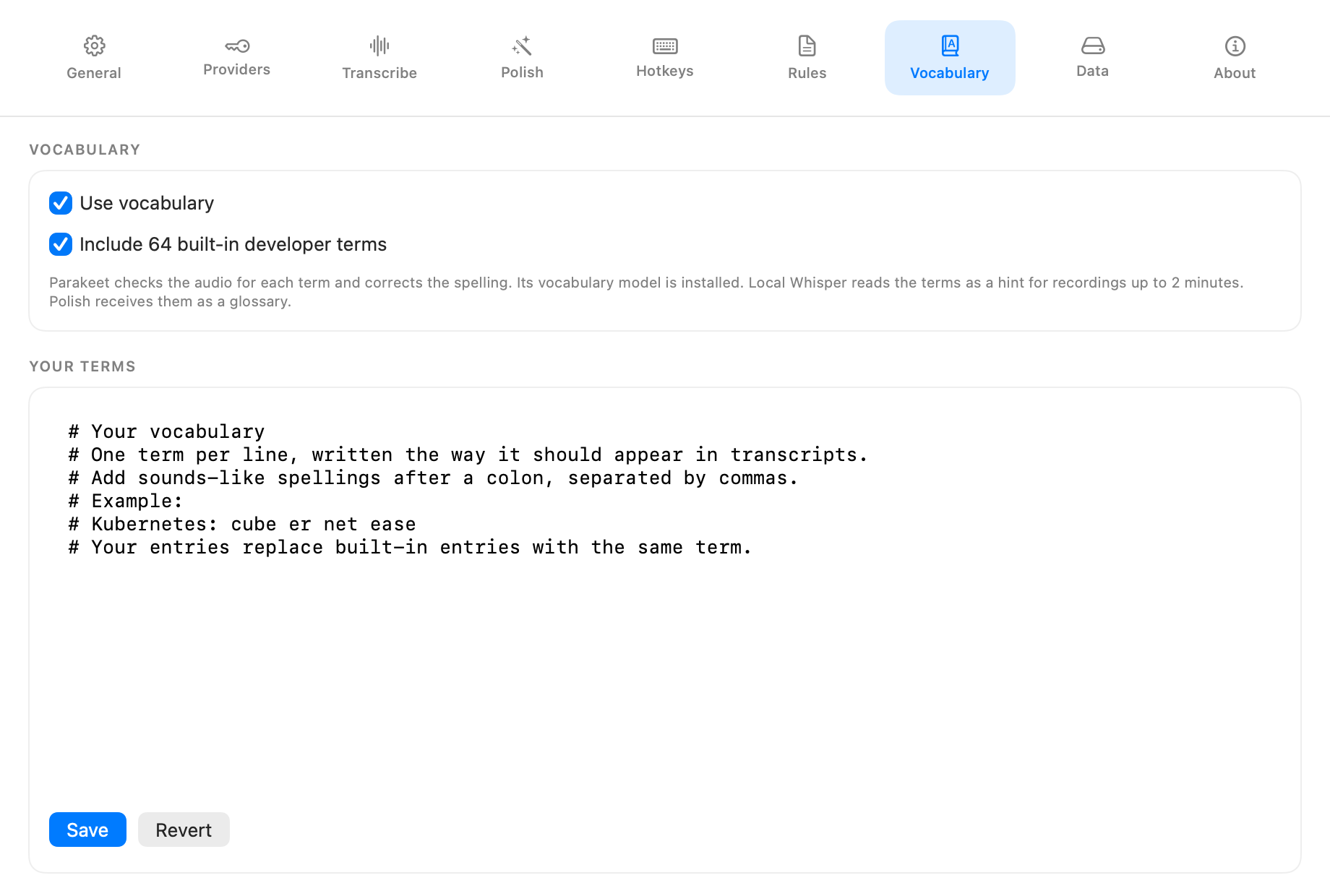
What ships with OpenScribe
OpenScribe includes a list of common developer terms, such as worktree, gitignore, kubectl, PostgreSQL, and Ollama. The list updates with each release. You can turn it off in Settings > Vocabulary.
Add your own terms
Open Settings > Vocabulary and add one term per line under Your Terms, written the way it should appear in your transcripts. When a term is often misheard, add the ways it sounds after a colon:
OpenScribe: open scribe
kubectl: cube control, kube control
Tailscale
- Lines starting with
#are comments. - Your entries replace a built-in entry with the same term, so repeat any built-in spellings you still want.
- Save writes the list to disk and applies to your next dictation. Revert discards unsaved edits.
- Terms are written exactly as listed, with a capital first letter at the start of a sentence. Punctuation around the corrected words stays.
Fix a misheard term
- Dictate as usual and note what OpenScribe wrote instead of the term, for example
Croneforcron. - Add the term with that spelling in Settings > Vocabulary:
cron: crone. Save. - Open the popover and use Transcribe again on the same session to check the result without dictating again. The vocabulary note under the transcript shows each word it corrected.
The most reliable sounds-like spellings are the exact words OpenScribe wrote. Short terms of five letters or fewer are only corrected when the transcript matches the term or one of its spellings closely, which keeps everyday words like "Tom" or "Miss" from turning into TOML or mise. Longer, distinctive terms such as Kubernetes usually work without extra spellings.
Avoid sounds-like spellings that are everyday phrases or only a letter or two away from one. A spelling like super base for Supabase also matches "super fast", so OpenScribe would change that phrase too. When a word turns into a term by mistake, the vocabulary note under the transcript shows what was heard, so you can remove or change that spelling.
How each engine uses it
- Local Parakeet listens for each term in the audio and corrects the transcript only when the audio supports the term. This uses a 100 MB vocabulary model that downloads the first time you use Parakeet with vocabulary on. Until it finishes, Parakeet transcribes without it.
- Local whisper.cpp reads the terms as a hint before transcribing. The hint applies to recordings up to 2 minutes, because longer recordings with a hint can make Whisper repeat itself.
- Polish receives the terms as a glossary, so the language model can restore exact spellings.
- Cloud transcription providers do not receive your vocabulary.
Keep the list focused
Every term is a chance for a false correction. Terms that sound like everyday words, such as a tool named after a common noun, are the most likely to replace words you meant literally. Add the terms you actually use and remove the ones that cause trouble.
Where the file lives
Your terms are stored in a plain text file:
~/Library/Application Support/OpenScribe/Rules/vocabulary.txt
See Your Data for the rest of the storage layout.